What should I wear? A real Pomada app walkthrough
App walkthrough
A useful outfit planner should shorten the decision, not replace it with another inspiration feed. This walkthrough shows the real Pomada flow for answering what should I wear from your own wardrobe.
Published August 27, 2026 · 5 minute read
Guide video
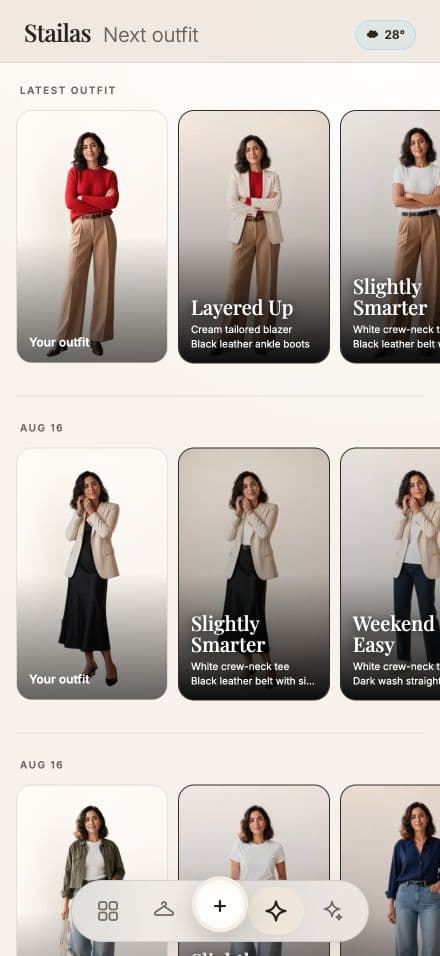
Watch a real Pomada app demo: start with clothes you already own, choose an outfit direction, and see the complete generated look.
Short answer
Open Wear next, choose the outfit or garment you want to build from, and select a direction. Pomada creates a complete look and names every piece so you can tell what is already yours and what is only a suggestion.
See the real what-should-I-wear flow
The video uses the live Pomada interface. It moves from an existing look into Wear next, chooses a direction, and opens the finished outfit detail. The aim is a decision you can act on with less scrolling.
Pomada does not pretend every suggested garment is in your closet. The result distinguishes your recognized pieces from ideas, so the recommendation stays understandable and editable.
Make the answer more personal over time
Add outfits you genuinely wore, correct the important garment details, and save combinations that worked. Those small signals turn a generic prompt into a record of your clothes, contexts, and successful formulas.
Frequently asked questions
Does Pomada generate outfits from my own clothes?
Pomada starts from recognized clothes and saved looks in your wardrobe. Some directions can also include clearly labeled ideas for pieces you do not own.
Is the walkthrough a mockup?
No. The embedded video is a recording of the actual Pomada app flow.
Where can I download Pomada?
Pomada is available on both the Apple App Store and Google Play through the Pomada download page.